
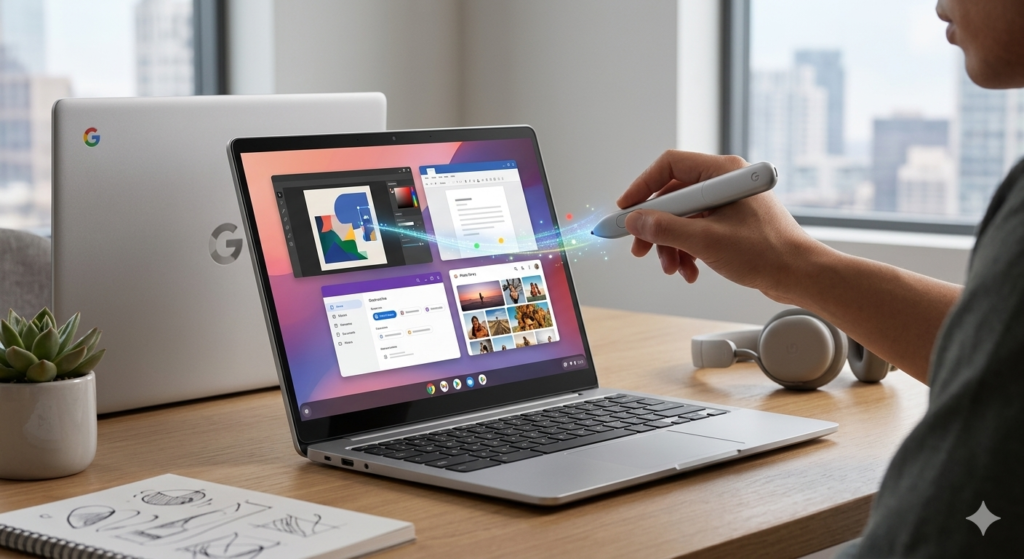
For decades, the mouse cursor has been one of the most stable fixtures in personal computing. Since the addition of the right-click button, very little has changed about a tool we use hundreds of times a day. Google has decided to change that—and the transformation has a name: Magic Pointer.
What Is the Magic Pointer?
The Magic Pointer is a core feature of the Googlebook, a brand-new category of laptops built from the ground up for Gemini AI. The company describes the feature as a way to bring Gemini’s assistance directly to your cursor—simply hover the pointer over any element on the screen to receive instant contextual suggestions.
In other words, the cursor evolves from a passive pointer into an active AI agent. It understands what is happening on your screen and offers relevant actions without forcing you to open a chat window, type a prompt, or interrupt your workflow.
Googlebook and Magic Pointer: The Announcement
Developed by the Google DeepMind team—the same lab responsible for Gemini and tools like the Nano Banana image model—the Magic Pointer promises to put AI utility right at your fingertips.
Google officially unveiled the Googlebook and the Magic Pointer on May 12, 2026, during The Android Show: I/O Edition. The first Googlebook devices are scheduled to hit the market in the fall of 2026, manufactured by hardware partners Acer, ASUS, Dell, HP, and Lenovo.
The Philosophy Behind the Magic Pointer
Google DeepMind describes the ultimate goal as using AI to help the cursor understand not just what it is pointing at, but why it matters to the user. The stated objective is to eliminate a common frustration: traditional AI tools live in isolated windows, forcing users to drag their data over to them. The Magic Pointer does the exact opposite—bringing intuitive AI to where the user already is, across every application, without breaking their creative flow.
Alexander Kuscher, Senior Director of Android Tablets and Laptops at Google, explained during a press conference:
“We thought about taking Gemini Intelligence and making the cursor truly smart. As you move the cursor across the screen, it shows you what it can interact with and contextually offers the actions you can take.”
The core objective is to replace long, typed prompts with simple, visual, and intuitive interactions—allowing users to point and execute rather than describe and wait.
How It Works in Practice
Simply move the cursor over any element on your screen, and the Magic Pointer springs into action, offering quick, contextual options. Google describes the workflow as going from an idea to “done” in just a few clicks.
The technology blends Computer Vision (to identify on-screen elements) with Gemini’s advanced language and reasoning capabilities (to understand context and map out relevant suggestions). There is no need to select a menu, trigger an assistant, or type a single word—the simple gesture of pointing activates the system.
Practical Use Cases
- 📅 Calendar & Email Management: Hover the cursor over a date mentioned within an email, and the Magic Pointer automatically suggests creating a Google Calendar event—eliminating the need to copy text and switch apps manually.
- 🛋️ Product Visualization & Design: Select two images simultaneously—such as a photo of your living room and an image of a new couch online—and the Magic Pointer combines computer vision with image generation to visualize how they look together in your space.
- 🗺️ Contextual Navigation: One demo illustrated by DeepMind showcases the true potential: hover over an image of a building in any document or webpage and click “Show me directions.” The AI processes the surrounding visual and semantic context to plot your route instantly.
- 🛒 Real-Time Product Comparison: While browsing an e-commerce site, select a few items and ask the Magic Pointer to compare them side-by-side without opening multiple tabs or copy-pasting specifications.
- 📱 Seamless Android Smartphone Integration: The Googlebook environment streams mobile apps directly onto your laptop screen. Additionally, with the Quick Access feature, you can view, search, and drop files from your phone directly within the Googlebook file manager without manual transfers.
Beyond the Googlebook: Coming to Chrome
For users who won’t be purchasing a Googlebook right away, Google is also rolling out a version of the Magic Pointer to Gemini inside the Chrome browser. This allows users to use their cursor to query Gemini about specific areas of any webpage. This feature is currently rolling out in a gradual release, ensuring that contextual cursor intelligence expands beyond dedicated Googlebook hardware to the world’s most popular browser.
The Googlebook Ecosystem
While the Magic Pointer is the standout innovation, it is part of a larger ecosystem of next-gen features:
- Glowbar: All Googlebooks will feature a distinctive rainbow LED strip on the lid called the Glowbar, visually separating them from legacy Chromebooks and signaling their premium market position.
- Create Your Widget: A tool that allows users to generate custom widgets simply by describing what they want to Gemini. For instance, you can ask it to compile flight data, restaurant reservations, and a countdown timer into a unified vacation dashboard without any coding knowledge.
- Cast My Apps: Allows Android applications to run natively on the laptop screen, maintaining task continuity across devices.
Google vs. Microsoft: The AI PC Wars
The launch of the Googlebook marks a direct competitive pivot against Microsoft’s Copilot+ PCs, which have been heavily pushed since 2024. Google is offering a fundamentally different paradigm: instead of siloing AI inside a dedicated sidebar or chat window, the intelligence is woven directly into computing’s most fundamental gesture—the movement of the cursor.
The Googlebook represents a strategic play to define native AI computing hardware before competitors lock down the market. Rather than competing solely on faster silicon or thinner chassis, Google is betting that the upcoming laptop war will be won by software that dynamically reacts to the user in real time.
Availability and Next Steps
The Magic Pointer will debut alongside the launch of the Googlebook lineup in the fall of 2026. While initial models will come from Acer, ASUS, Dell, HP, and Lenovo, specific hardware configurations and pricing details have not yet been disclosed.
Google explicitly stated that standard Chromebooks are not being discontinued; new Chromebook models will continue to launch, and existing devices from 2021 onward will maintain up to 10 years of automatic security updates.
The Magic Pointer represents a profound philosophical shift in human-computer interaction. If it delivers on its promises, the cursor we have relied on for generations may never be the same again.
What do you think about this shift? Are you excited to try an AI-powered cursor? Let us know your thoughts in the comments below!